The research poster that is always finished the night before
Almost every researcher has a version of this story. The abstract was accepted months ago, the conference is in two days, and the poster is still being edited because a co-author sent new figures, the supervisor wants the results section rewritten, or the latest data only came in this week. The poster then needs printing at A0 size, ready to carry onto a flight or into a convention centre, by tomorrow.
This guide is for PhD students, postdocs, lab managers and researchers at universities, hospitals and research institutes in Singapore. It covers what you need to know to get a conference poster printed at short notice: the sizes and materials, the file checks that prevent the most common rush mistakes, and how to travel with the poster if the conference is overseas.
Check the conference requirements first
Before anything else, open the conference's poster guidelines and confirm three things. Printers get the same questions every week, and the answers are always in that document.
- Size and orientation: A0 portrait (841 by 1189 mm) is the most common, but some conferences ask for A0 landscape, A1, or a fixed size in centimetres or inches. US conferences often use sizes like 36 by 48 inches.
- Board size: the poster board is sometimes larger than the required poster size. Your poster must fit inside the board, not fill it exactly.
- Mounting: whether posters are pinned, taped or attached with velcro. This affects which material works best.
If the guidelines say "maximum A0 portrait", printing slightly smaller, say on a 90 by 120 cm sheet that has been trimmed to A0, is fine. Printing landscape when the board is portrait is not, and it is a surprisingly common last-minute error.
Paper or fabric?
Conference posters are usually printed on one of three materials. Each has a place, and the right choice depends mostly on how you will travel.
| Material | Look | Travel | Turnaround |
|---|---|---|---|
| Matt or satin poster paper | Clean colours, low glare | Needs a poster tube | Same day is usually possible |
| Gloss or photo paper | Strong colours, can reflect hall lighting | Needs a tube, scratches easily | Same day is usually possible |
| Fabric poster | Soft matt finish, no glare | Folds into a suitcase, minor creases | Often same day or next day |
Paper posters
Paper is the default for local conferences. It is the cheapest option, colours print sharply, and it is ready quickly. A matt or satin finish is easier to read under the bright lights of convention halls than gloss. If the poster will be reused, for example in the department corridor afterwards, a matt lamination protects it from fingerprints and tears.
Fabric posters
Fabric posters have become popular for overseas conferences because they fold into a suitcase. No poster tube to carry onto the plane, and no risk of the tube being crushed in the overhead locker. They look softer than paper, with no glare, and creases from folding usually relax after hanging for a while. The trade-off is slightly less crisp fine detail, so check that very small text in charts is still readable.

File checks the night before
Most rush problems with research posters are file problems, not printing problems. Running through these checks before sending saves the hour you do not have.
- Export a PDF at the final size. Many posters are built in PowerPoint with a custom slide size. Set the slide to the exact poster dimensions before exporting, or the poster will be scaled and may not match the required size.
- Check image resolution. Figures copied from a screen or a journal web page look fine on a laptop and blurry at A0. Use the original figure files exported at a high resolution, ideally 150 to 300 dpi at the final printed size.
- Embed fonts. Unusual fonts, Greek characters and mathematical symbols can be replaced by a default font if they are not embedded. Open the PDF on another computer to check.
- Check the logos. University and funder logos should come from the official files, not from a web search.
- Check colours in charts. Very light colours and thin lines can disappear in print. Colours that look different on screen can be hard to tell apart on paper.
- Read the poster at 100 percent zoom. Typos in headings and author names are far more visible at A0 than on a laptop.
If you only have the PowerPoint file and something looks wrong in the export, our guide to rush printing when the source file is missing explains what a printer can and cannot fix from a PDF.
Realistic timelines
For a single A0 paper poster with a print-ready PDF, same-day printing is usually possible if you send the file in the morning. A few things slow it down:
- Lamination, which adds time to the job.
- Fabric posters, depending on the printer's equipment and queue.
- A batch of posters from the whole lab for the same conference, which is a larger job than one poster.
- Files that need fixing before printing, such as missing fonts or the wrong page size.
Our article on same-day printing cut-off times explains why the time you send the file matters as much as the job itself. If a whole lab group is going to the same conference, collecting all the posters and sending them together a few days ahead is much cheaper and calmer than six separate rush jobs.
Travelling with your poster
For an overseas conference, decide how the poster travels before you choose the material.
- Poster tube: carry it as cabin baggage if your airline allows it. Mark it clearly with your name. A tube with a shoulder strap is easier to manage at the airport.
- Fabric in a suitcase: fold it loosely along the same lines, with tissue paper if you have it, and hang it up as soon as you arrive.
- Print at the destination: possible for some cities, but you depend on a printer you do not know, in a different time zone, often on the day before the conference.
Bring push pins or velcro dots even if the conference says they will be provided. They sometimes run out on the first morning.
Extra print for the poster session
Poster sessions are conversations. A few small items help people remember your work after they walk away:
- A4 handout versions of the poster, or a one-page summary with the key figure and your contact details.
- A QR code on the poster linking to the paper, a preprint or your lab page.
- Business cards, especially if you are looking for a postdoc position or a collaborator. See our guide to last-minute business cards if you have none.
Rush poster printing with us
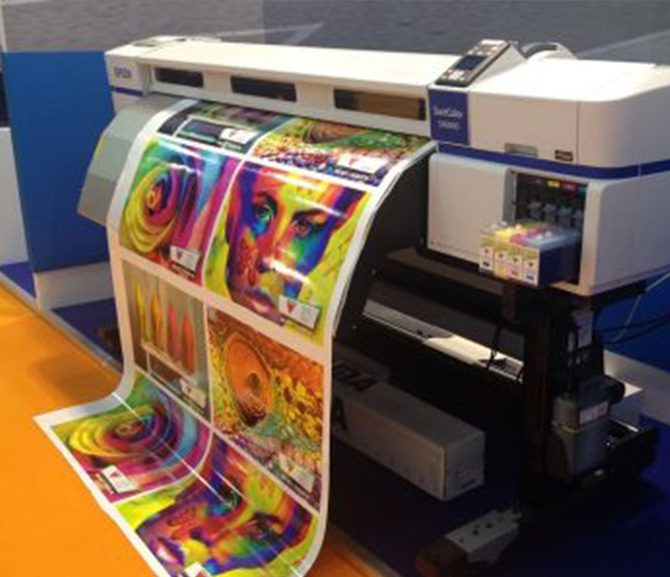
We print A0, A1 and custom-size research posters on matt, satin and gloss paper, and fabric posters for overseas travel, often on the same day. We check every file for size, resolution and missing fonts before printing, and tell you straight away if something needs fixing, so you are not surprised at collection.
Send us your PDF with the required size, the material and the time you need it, and we will confirm whether same-day collection or delivery is possible. See our fast poster printing service, or reach us on our contact page.